 RClick
Pick a folder
Use the Finder you already know. No separate file browser to learn.
A focused Finder utility
RClick does one job and does it well: it adds a native Open in Terminal action to Finder. Choose a folder and get straight to work.
One-time purchase · No subscription · No account
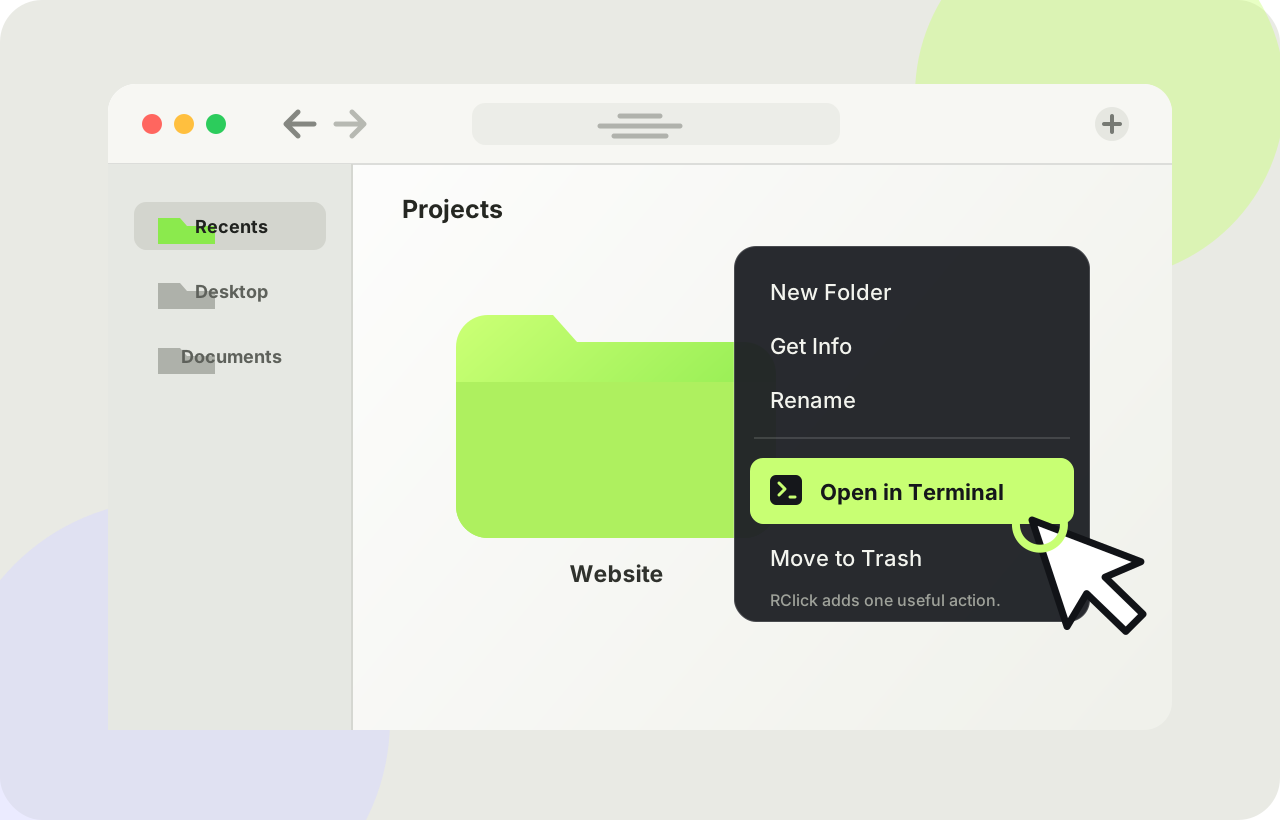
RClick removes the small, repetitive detour between seeing a folder in Finder and working with it in Terminal.
Use the Finder you already know. No separate file browser to learn.
Choose Open in Terminal from the folder’s context menu.
Terminal opens at the exact folder. Your path is ready and your focus stays intact.
One command. One focused tool.
RClick stays out of your way until you need it, then opens Apple Terminal directly at the folder you chose.
Last login: Sun Aug 16
~/Projects/Website % pwd
/Users/you/Projects/Website
~/Projects/Website %
No workspaces, project indexing, or command palette. Just the missing bridge between Finder and Terminal.
Stay in the place where you already manage files and folders.
Opens the system Terminal app at exactly the folder you selected.
Your folder paths stay on your Mac. RClick has no account or analytics.
Simple pricing
RClick is a purpose-built utility, not another subscription. Pay once and keep the version you buy.
FAQ
It registers an Open in Terminal action for folders in Finder and opens the selected folder with Apple Terminal.
No. RClick runs locally and does not upload, index, or store your folder paths.
RClick is deliberately focused on Apple Terminal. That narrow scope keeps the utility simple and dependable.
No. It is a one-time purchase for the version you buy. There is no recurring charge and no account to maintain.
RClick currently supports macOS 15 or later.
A focused Finder utility for a one-time $1.99 purchase.